
On this page
On November 24, 2026 PT (November 25, 2026 Beijing time), Anthropic began rolling out "Install as app" in beta, allowing users to install interactive Claude Artifacts as desktop applications with dedicated windows and app icons on macOS and Windows. The feature requires Claude for Mac or Claude for Windows version 6.28899.0 or later and spans Free, Pro, Max, Ultra, Team, and Enterprise plans.
How Installed Artifact Apps Actually Run
Users open a supported Artifact, select Install as app from the Share menu, and confirm without packaging, code signing, or setting up a separate API key. However, an installed app is not an offline standalone binary:
Online Sign-In and Quota Metering: **Launching and using an installed app requires an active internet connection and being signed in to **Claude Desktop. Requests sent to Claude—and actions executed via connected tools—count directly toward the user's Claude plan usage limits.
**Live Sync With the Source Artifact: **The installed app remains tied to the underlying Artifact; whenever the owner or an editor modifies the Artifact, the installed desktop app updates accordingly.
Three Permission Levels and Per-Version Re-Authorization
Anthropic governs desktop capabilities through three explicit permission tiers:
**Default: **Restricts the app to standard browser-equivalent sandbox capabilities.
**App Permissions: **Lets the app request desktop integrations including always-on-top windows, global keyboard shortcuts, system notifications, and menu bar or system tray items.
**Full Computer Access: **Allows the app to run local programs and read, modify, or delete local files without per-action confirmation prompts. Only Artifacts created by the user or their organization can request this tier, and Anthropic does not review apps prior to installation.
**Permissions Reset on Updates: **Granted permissions do not persist across Artifact revisions—every time the underlying Artifact is updated, reopening the app prompts the user to re-approve permissions.
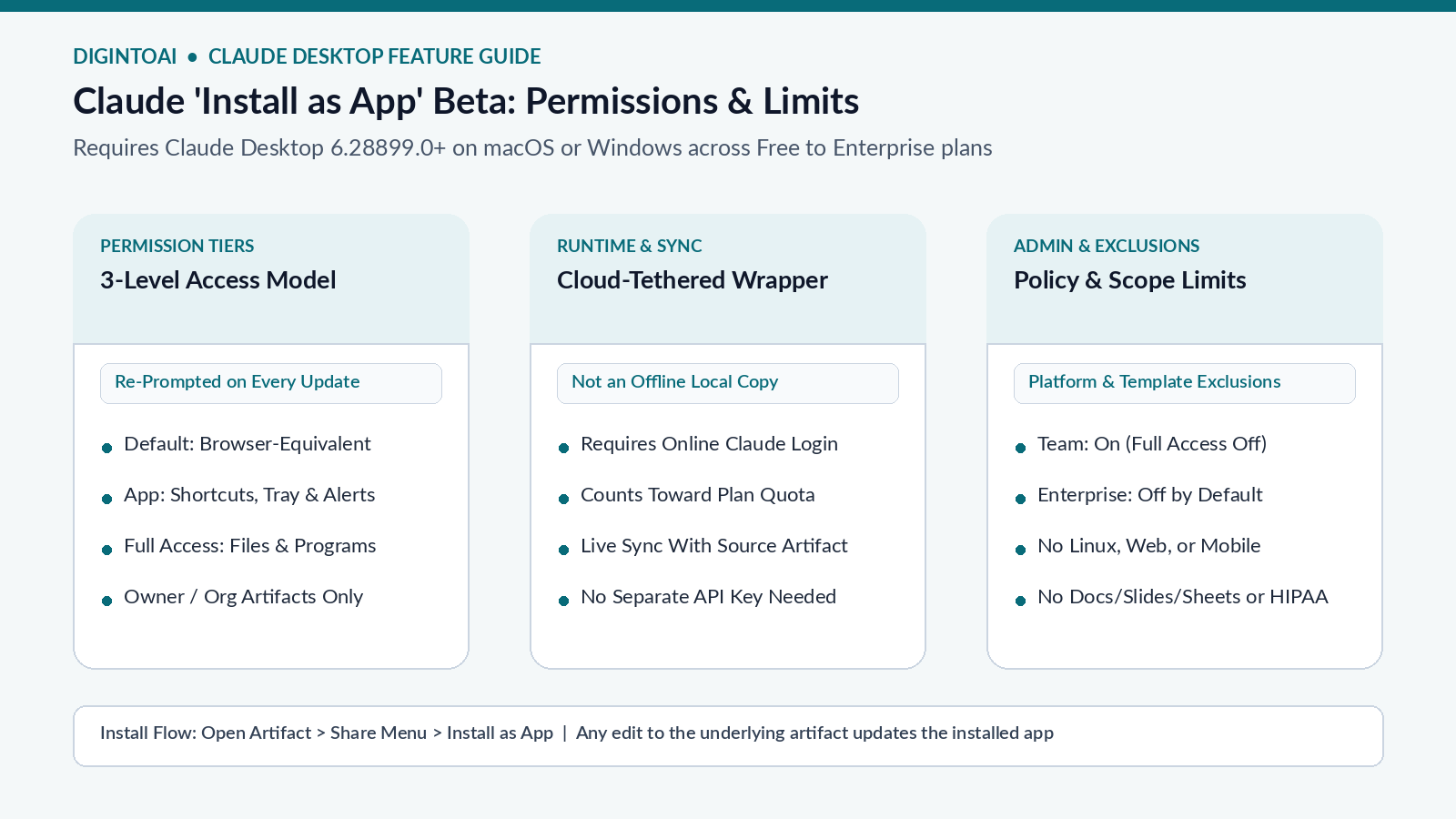
Image source: Summary diagram created by DigIntoAI based on the Anthropic announcement and Help Center documentation.
Admin Defaults and Explicit Exclusions
Team vs. Enterprise Admin Controls: **On **Team plans, Install as app is enabled by default while Full Computer Access is off until an admin turns it on. On Enterprise plans, the entire feature is disabled by default until an organization owner enables it.
Unsupported Platforms, Formats, and Compliance Scopes: **The beta is unavailable on **Linux, web, and mobile clients, and cannot install Claude Docs, Slides, or Sheets Artifacts. Furthermore, HIPAA-ready organizations and hybrid deployments are excluded entirely, and installed Artifact apps are not covered by Claude Code's Zero Data Retention (ZDR) scope.