
On this page
On November 24, 2026 PT (November 25 Beijing time), Anthropic began rolling out "Install as app" in beta for Claude Desktop (version 6.28899.0+ on macOS and Windows)) across Free, Pro, Max, Ultra, Team, and Enterprise plans. Users install eligible interactive Artifacts via the title menu, right-click menu, or Share menu to get a dedicated OS window and icon.
OS Launch Paths and Cloud-Tethered Runtime Reality
Where Installed Apps Live: **On macOS, apps install into **~/Applications/Claude Apps (discoverable via Spotlight and pinnable to the Dock); on Windows, they appear in the Start menu (Claude Apps folder) and as a desktop shortcut, with centralized management under File > Apps inside Claude Desktop.
**Not an Offline Standalone Binary: **Opening an installed app requires an active internet connection and a signed-in Claude Desktop session. Model calls and connectors count toward existing plan limits (no separate API key required), and because the app points directly to the underlying Artifact, any edit made by the owner or collaborators updates the installed app live.
Three Permission Tiers, Per-Version Re-Prompts, and Revocation Lag
**Default: **No local OS access beyond standard browser-level sandbox features.
**App Permissions: **Unlocks desktop integrations such as always-on-top windows, global shortcuts, notifications, and menu bar or system tray icons.
**Full Computer Access: **Lets the app run local programs and read, modify, or delete local files without per-action prompts. Access is generally restricted to Artifacts created by the user (individual plans) or within their organization (Team/Enterprise), and Anthropic does not review apps before installation.
Version-Bound Prompts and Up to ~20-Minute Revocation Delay: **Permissions apply only to a single Artifact version and re-prompt after every update, while "Don't allow" persists until changed. Permissions can be revoked via the app menu on macOS, title-bar right-click (Alt+Space) on Windows, or File > Apps in Claude Desktop. Per the Help Center, when access is revoked or sharing ends, programs started by the app stop (excluding detached processes, without undoing prior file changes), which **can take up to about 20 minutes—or longer while offline or signed out.
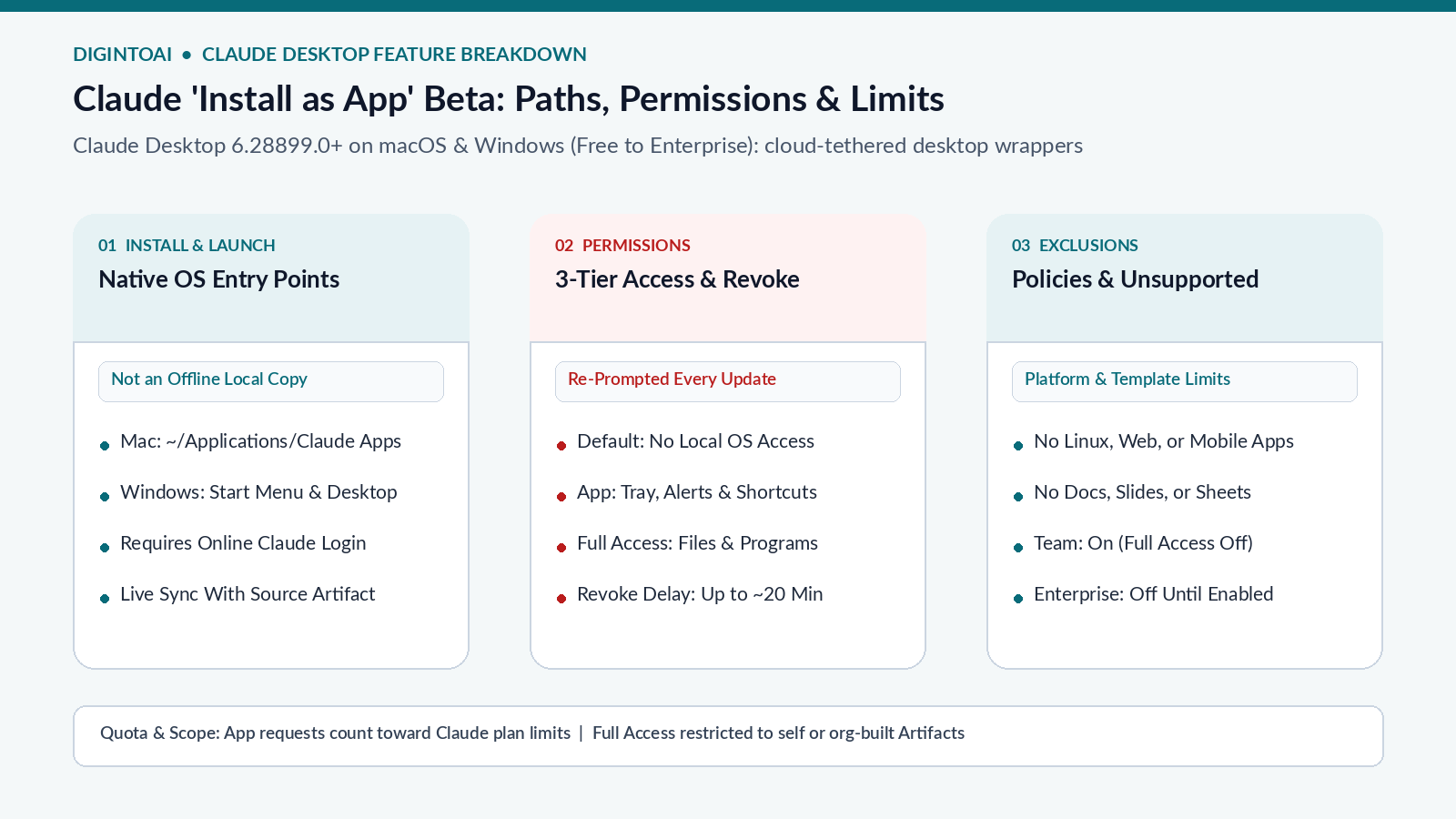
Image source: Summary diagram created by DigIntoAI based on the Claude Help Center and Anthropic announcement.
Admin Defaults and Explicit Exclusions
Team workspaces enable installation by default with Full Computer Access off, whereas Enterprise disables the entire feature until an owner enables it under Organization settings > Artifacts. The beta explicitly excludes Linux, web, and mobile clients, Claude Docs, Slides, and Sheets templates, HIPAA-ready organizations, hybrid deployments, and Claude Code ZDR coverage.