
In a blog post dated November 16, 2026, Google Labs software engineer Maria Ines Aranguren announced that Gemini Notebook can now turn sources into interactive sites to help users make sense of complex information.
How to Build & Share Interactive Sites
Prompting with 'make me a site': Users type 'make me a site' in their Gemini Notebook chat alongside a description of what they want to build for work or study—such as visual explainers for exam preparation (like an interactive periodic table or historical timeline), interactive dashboards to explore data (such as quarterly sales performance), or project management trackers outlining tasks and deadlines. Once built, users can select 'Open in a new tab' to interact with the site or share it with others.
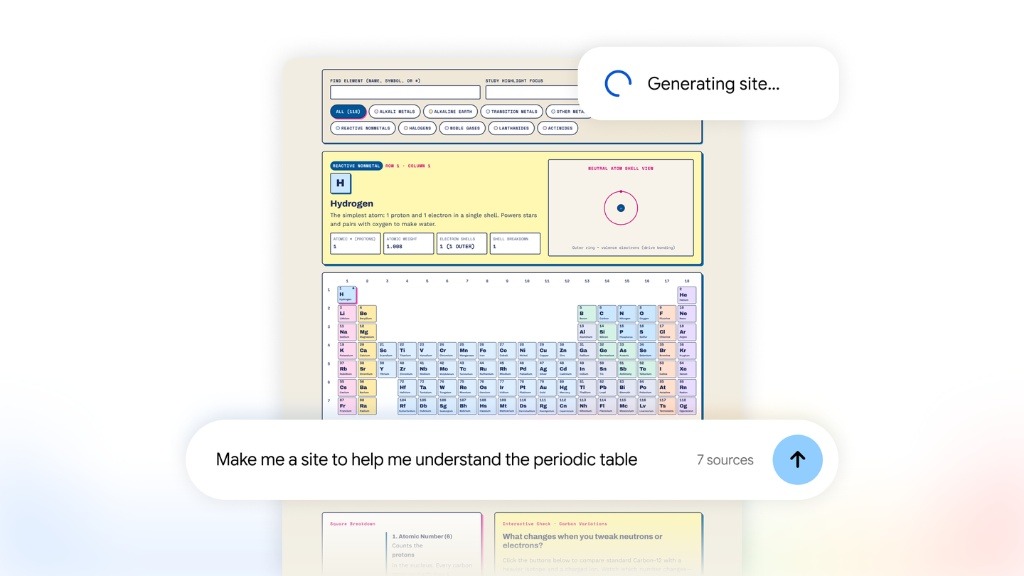
Image source: Google Blog (https://blog.google/innovation-and-ai/products/gemini-notebook/interactive-sites/).
Availability & Rollout Scope
Global Web Rollout for 18+ Users: The capability is rolling out globally on the web for Gemini Notebook users aged 18+, including Google Workspace subscribers, and is coming soon to the mobile app.