
On this page
On November 26, 2026 at 10:50 Beijing time (November 25 at 18:50 PT), OpenAI Codex lead Tibo (@thsottiaux) announced on X that OpenAI had fixed a billing error introduced at the November 17–18 launch of GPT-6.2 Astra and GPT-6.2 Sol. The bug had incorrectly discounted plan allowance consumption for both models across most accounts—meaning identical coding and agent workloads will now burn through included subscription usage noticeably faster.
The Main Impact: 40% Faster Limit Hits on Astra and 25% Faster on Sol
While the headline apology reset drew quick attention, the lasting operational shift for ChatGPT Work and Codex users is the corrected allowance burn rate:
Quantified Quota Tightening vs. Launch Week: **Compared to last week, users will **reach their usage limits 40% faster on GPT-6.2 Astra and 25% faster on GPT-6.2 Sol. The unusually generous headroom experienced during launch week was an accidental discount rather than the permanent allowance baseline.
**Practical Effect on 5-Hour and Weekly Windows: **ChatGPT Work and Codex draw from a shared plan allowance: Plus and Business Standard seats face both a 5-hour rolling window and a weekly cap, while Pro 100, Pro 200, and Pro 500 enforce a weekly allowance. Heavy multi-step coding sessions running GPT-6.2 Astra at high reasoning effort will hit short-window limits much sooner than during launch week, prompting teams to reserve Astra for hard architectural work and route routine iterations to Sol.
**Scope and No Retroactive Billing: **Other models were unaffected by the bug, and OpenAI confirmed it will not retroactively bill users or claw back quota for past usage.
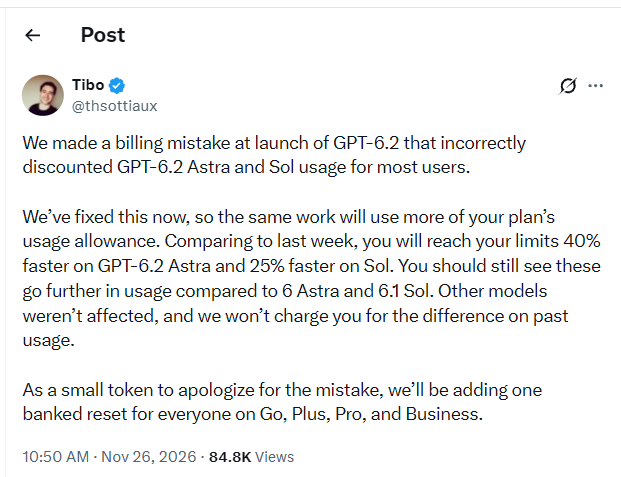
Image source: Screenshot of @thsottiaux on X posted November 26, 2026 at 10:50 Beijing time.
Still Better Than GPT-6 Astra and 6.1 Sol: Pricing Context
Tibo emphasized that even after removing the accidental discount, GPT-6.2 Astra and Sol should still stretch further per allowance than GPT-6 Astra and GPT-6.1 Sol. Public API list prices remain unchanged: gpt-6.2-astra is priced at $8.00 input / $0.40 cached / $40.00 output per 1M tokens (20% below GPT-6 Astra's $10/$50), while gpt-6.2-sol remains at $2.00 / $0.10 / $10.00—matching GPT-6.1 Sol. The fix recalibrates subscription metering back to those intended relative efficiencies rather than introducing a list-price increase.
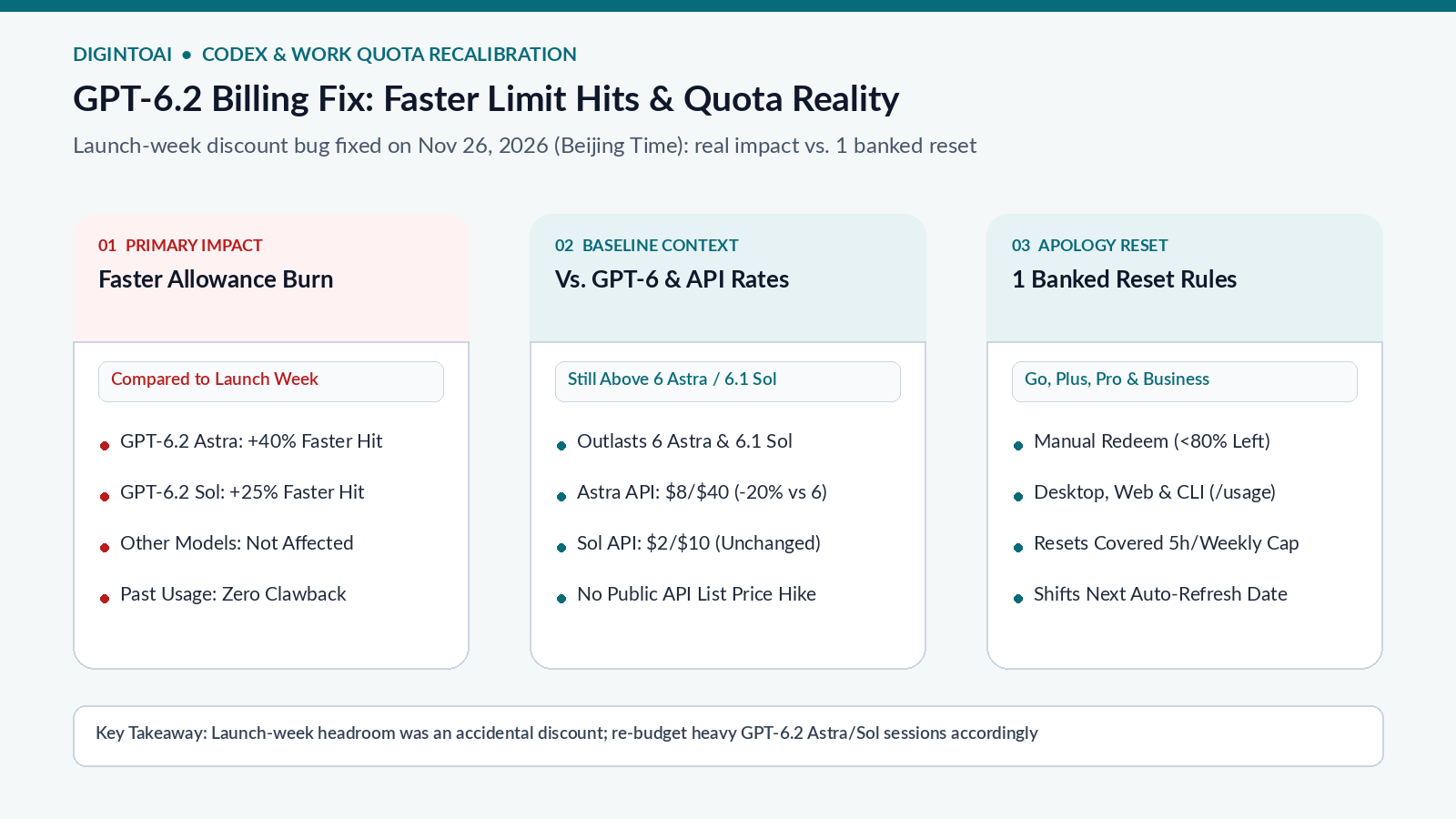
Image source: Compiled by DigIntoAI from @thsottiaux, OpenAI Help Center docs, and OpenAI API pricing.
How the Apology Banked Reset Works (and Key Restrictions)
As a one-time apology, OpenAI is granting one banked reset to all Go, Plus, Pro, and Business subscribers (Enterprise and Edu are not listed in the announcement). Per OpenAI's Help Center guide (How resets work in Codex), four practical rules apply:
Manual Redemption Required Before Expiration: **A banked reset sits in your account without automatically refreshing current usage. Redeem it via **Settings > Usage & billing (Use reset, separate from paid Buy an instant reset) in the desktop app, Usage settings on the web, or /usage (Redeem reset) in Codex CLI; the mobile app does not support banked resets.
**Under-80% Threshold to Trigger: **At least one covered allowance must have less than 80% remaining to redeem manually (and 10% or less if letting the Codex desktop assistant trigger it automatically).
**Covered Limits and Refresh Schedule Shift: **A full banked reset restores the monthly allowance on Go, both 5-hour and weekly allowances on Plus and Business Standard, and the weekly allowance on Pro 100/200/500 (separate ChatGPT limits like image generation or voice remain unchanged). Redeeming a reset replaces your next scheduled auto-refresh date based on when the refreshed window begins without altering your billing date; banked resets are not convertible to cash or API credits and cannot be restored if expired.